Authenticated Apply in ANZ App for Personal Loans (AAA-PL)
Role
Senior UX Designer
Timeline
4 Months
Methods
- Card Sorting (Information Architecture)
- Wireframing
- AI-Assisted Prototyping
- Usability Testing & Iteration
Outcome
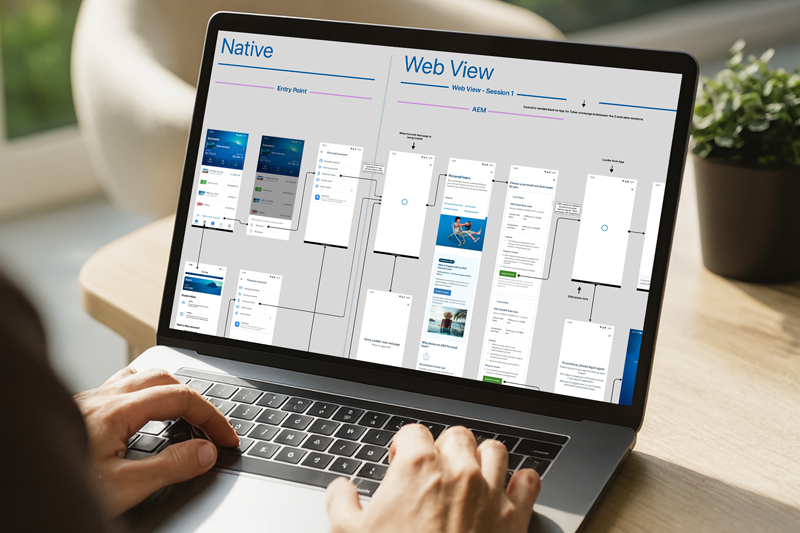
One of the key challenges in the existing experience was that during the SSO-based authentication flow, users were redirected to a WebView where the UI felt visually different from the native ANZ app. This created a subtle sense of disconnection, making users feel like they were navigating outside the app, even though they weren't.
Through UX improvements, the WebView interface was redesigned to closely align with the native app's look and feel, ensuring consistency in UI elements such as buttons, typography, and overall layout. This helped create a more seamless and cohesive experience, where users could continue their journey without feeling any disruption.
As a result, there was a 30% increase in application completion rates and a 25% reduction in drop-offs during the transition to the WebView. Users also reported higher confidence and continuity in the journey, leading to improved engagement and a smoother overall loan application experience.
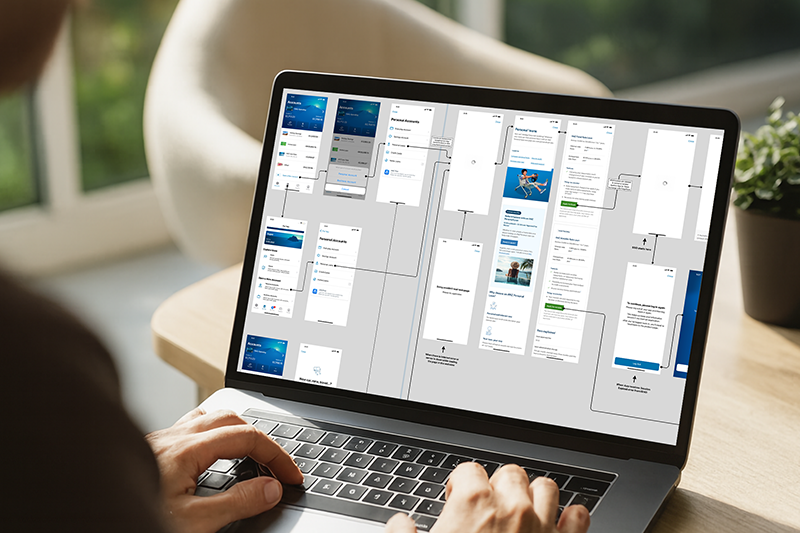
The Challenge
Existing ANZ customers expect a fast, frictionless application experience when applying for new products through authenticated channels like the ANZ App. However, applying for Personal Loans required transitioning users to the ANZ Apply platform, introducing potential friction, trust concerns, and loss of context.
-
SSO Integration: Maintain single sign-on across platforms.
-
WebView: Keep the entire journey within the ANZ App.
-
Security: Prevent unintended navigation, confusion, or risks.
-
Focus: Deliver a controlled, focused application flow.
Seamless & Secure Application
Enable existing ANZ retail customers to apply for Personal Loans directly from the ANZ mobile app using a seamless, secure, and fully authenticated experience—without leaving the app or navigating to an external browser.
My Contribution
- Defined the end-to-end authenticated application journey for Personal Loans within the ANZ App
- Translated business, security, and platform constraints into clear UX scenarios and guardrails
- Partnered closely with product, engineering, and platform teams to align WebView behaviour with UX intent
- Ensured the experience felt native, secure, and distraction-free for customers
Seamless SSO Entry into Apply
Goal: Eliminate re-authentication and context switching
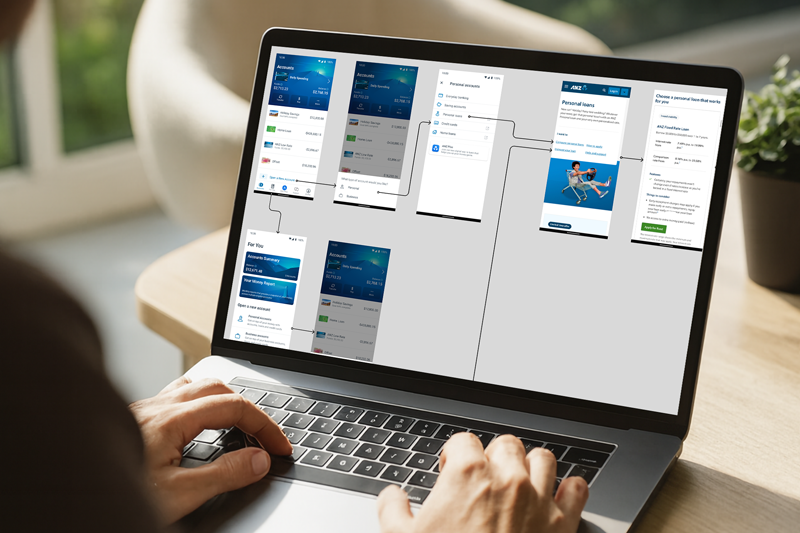
Existing ANZ customers already logged into the app can initiate a Personal Loan application from multiple entry points under Personal Accounts. Users are automatically authenticated via SSO and redirected to the Personal Loan section on the ANZ Apply platform within an in-app WebView. No additional login or identity confirmation is required, reinforcing trust and continuity.
Secure, Controlled WebView Experience
Goal: Maintain trust and prevent confusion
The WebView does not display the webpage URL. Users cannot edit or manipulate the URL or browser controls. This reinforces security, avoids phishing concerns, and ensures users remain within a trusted ANZ environment.
Focused Application Flow
Goal: Reduce distraction and prevent unintended navigation
Users are restricted from browsing unrelated products or pages while in the WebView. Navigation is limited strictly to Personal Loan–related pages. This keeps users task-focused, reduces drop-off risk, and aligns with compliance requirements.
Outcome & Impact
Delivered a seamless, end-to-end authenticated application journey within the ANZ App.
- Reduced Friction: Removed external browser handoffs and repeat authentication.
- Improved CX: Enhanced clarity, trust, and focus during a high-intent financial task.
- Scalability: Established reusable UX patterns for future authenticated product applications.